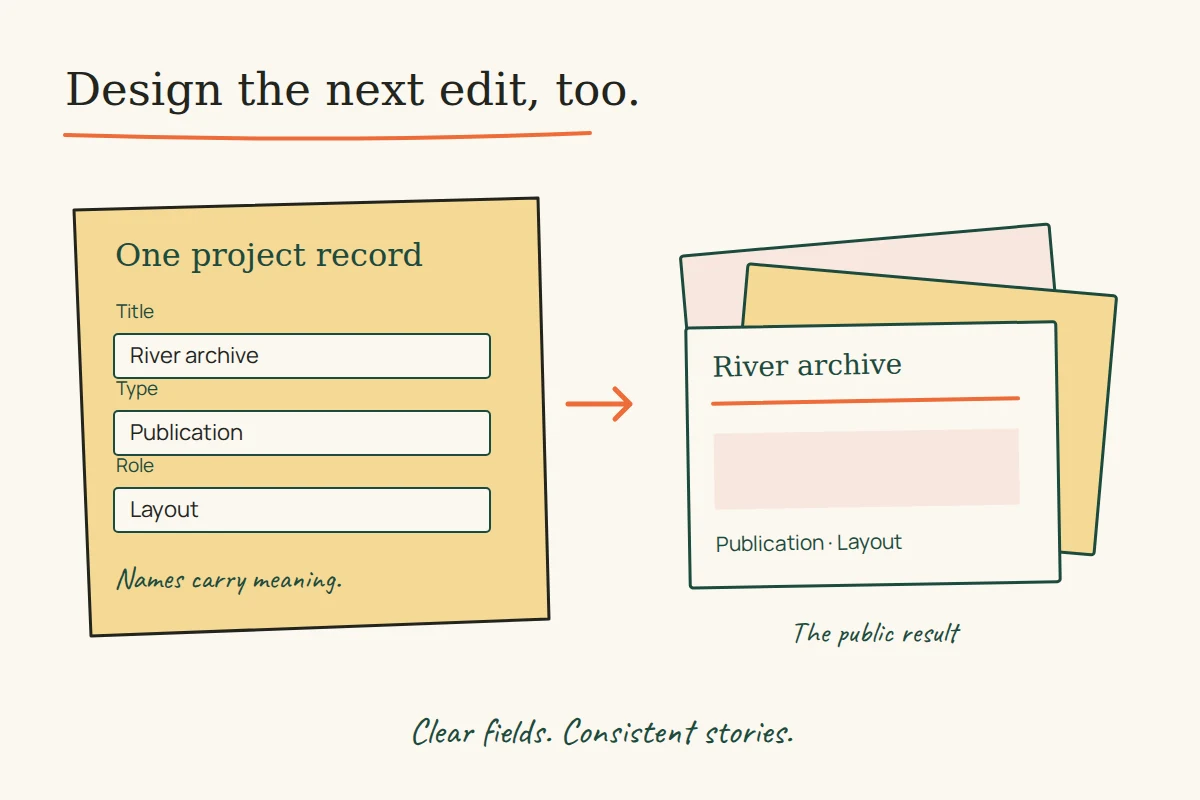
The useful test of a website template often happens after its first photograph has been replaced. An editor adds a longer title, a second project type or an item with no image. Does the structure still make sense, or does every change require someone to repair the layout?
Six complete Uflix portfolio briefs, plus one substantive catalogue entry, preserve the vocabulary of an earlier generation of publishing systems: custom fields, taxonomies, portfolio management, theme options and multiple access levels. Read as editing promises rather than decorative features, they suggest a practical way to review a new website.
The projects and credits belong to the former studio. These surviving descriptions document what it advertised; they do not demonstrate the old admin screens, code or editor experience. The publishing exercises below are our own proposals.
BRAY: a filter needs an agreed meaning
The BRAY brief, captured in July 2014, names custom content types, taxonomies with filtering, a large menu, page templates and sliders. That combination is more than a choice of visual style: the content needs categories that editors can apply consistently.
WordPress’s taxonomy documentation describes taxonomies as ways to group content, with terms that can be hierarchical or flat. For an illustrative portfolio, “project type” might group work as identity, publication or website. A separate “sector” grouping could describe the client’s field. Mixing both ideas into one undifferentiated list would make a filter harder to explain.
Before polishing a filter control, try classifying five varied example projects. Include one that belongs in two groups and one with incomplete information. If two editors interpret a term differently, settle that meaning before treating the interface as finished. This is a proposed editorial exercise, not a reported test of BRAY.
Fredegårds: a field is a small instruction
The Fredegårds description, captured in July 2014, identifies a real-estate website template with custom fields, widgets, sidebars, translation preparation and page templates. It does not list the actual property fields.
Imagine a new listing editor with a field called “Area”. The field label alone does not say whether this means floor area, plot area or another measurement. A more useful brief would specify what area is being entered, which unit applies, whether the value is required and what should appear when it is unknown. The public label and the editor’s input instruction need to agree.
That small decision affects more than one screen. A property card, a detail page and a comparison view may all draw from the same field. If each screen quietly assigns it a different meaning, visual consistency cannot repair the contradiction.
The Wondery: a portfolio needs more than a gallery
The Wondery brief, captured in July 2014, names portfolio management alongside a WordPress theme, parallax, custom menus and templates. For a proposed contemporary portfolio, the first content question is what accompanies an image.
A useful project record could distinguish the work’s title, the client or commissioning context, the contributor’s actual role, supporting images and what may be disclosed. These are suggested fields, not a recovered Wondery schema. They make room for an honest account of a small contribution as well as a large project.
Creole Studios: make the next project fit too
The Creole Studios brief, captured in September 2016, lists a custom slider and portfolio management in a responsive WordPress template. The description is short; it cannot tell us how much an editor could change without developer help.
For a new build, prepare three deliberately awkward example records: a very long title, an unusually tall image and a project without a public client name. Check that the content still has a clear order. An exceptional case should have a deliberate treatment, not force an editor to invent a misleading title or crop away essential information.
Satavic Farms: a redesign can preserve how knowledge is found
The Satavic Farms brief, captured in April 2016, describes redesigning an organic-farming information website. It promotes a clean, responsive presentation but does not provide an inventory of the old articles or a migration plan.
A proposed content review would start with the questions readers need to answer and the existing pages that answer them. Separate an evergreen explanation from a dated announcement. In that proposed plan, record the useful subject’s existing address and decide explicitly where it will lead after the redesign. This is an editorial design principle, not evidence that the historical redesign preserved every address.
L & H Group Foundation: editing options and service functions differ
The L & H Group Foundation brief, captured in July 2014, names menus, custom fields, page templates and PayPal donation support. A site editor’s ability to change a header is a different kind of capability from a functioning donation process.
For a new site, document which settings control presentation and which depend on another service. A donation call to action needs an actual destination and a clearly identified recipient. The old feature list does not establish a current account, payment flow or charitable status.
Lysmarine AB: access levels belong in the brief
A portfolio listing captured in July 2014 preserves a substantive Lysmarine AB summary. It describes a boat-and-parts website with a custom CMS, plugin support, multiple user access levels, boat-feature management and a price calculator. The separate project body has not been retrieved, so the listing is the evidence for this section.
A useful proposed permissions exercise would name the tasks before naming the roles: drafting a boat listing, checking it, publishing it and changing calculation rules. Decide which tasks can be combined and which need a review step. The source says that access levels existed; it does not supply their names or prove how they were enforced.
Keep content capabilities through a change of appearance
WordPress’s theme-functions guidance distinguishes functionality tied to an active theme from features that should remain available independently of its appearance. It recommends placing the latter in a plugin. This is a useful boundary when planning a new publishing system; it does not tell us where any of these historical projects stored its logic.
Before approving a template, ask an editor to create, revise and locate a realistic record. Check the public result and the editing instructions together. The goal is a repeatable publishing task, with clear meanings and honest exceptions. For the visitor-facing side of the same problem, see how a product website separates information jobs.